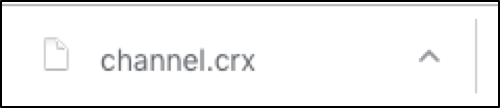
1、Download the extension by clicking here
Please Choose ‘continue’ if you see a prompt message ‘Extension, apps, and the themes can harm your computer. Are you sure you want to continue’ on the bottom of the webpage.

Note: Do not try to open or install the file ‘channel.crx’ by double clicking it. Double clicking is invaild here.
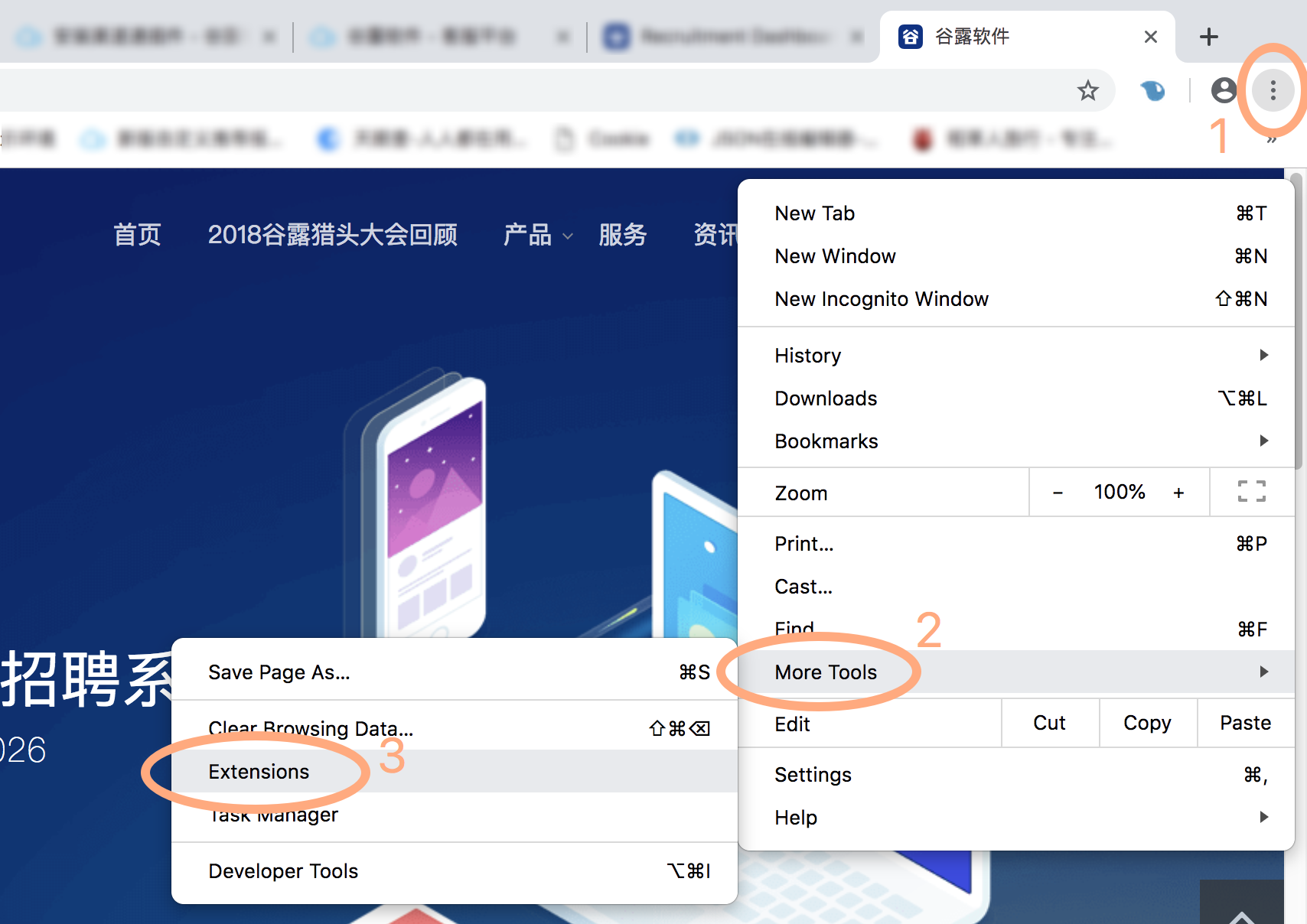
2、Please access to and click the button of ‘Extensions’ by following the steps as below.
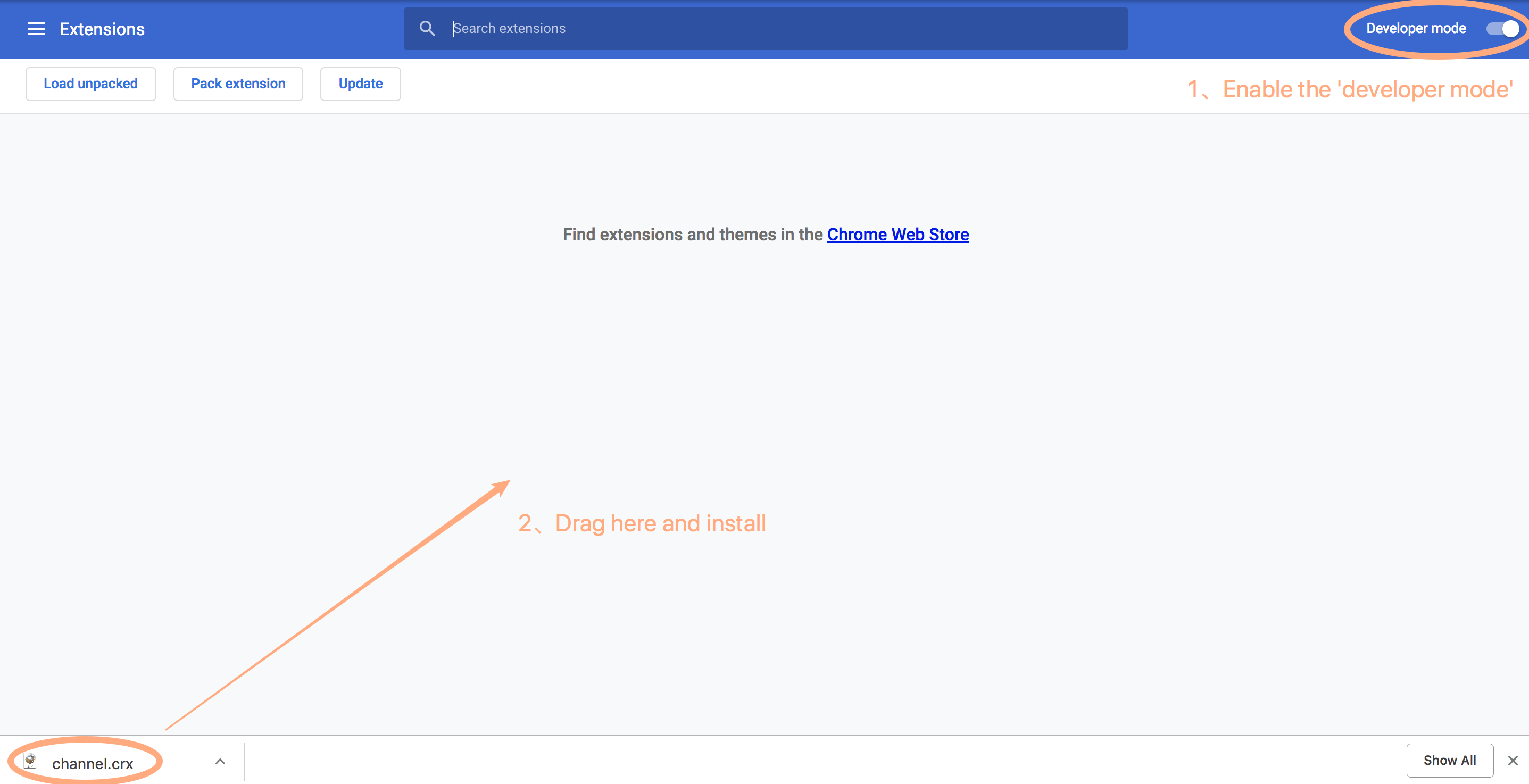
3、Please make sure the ‘developer mode’ is enabled. Left click the file, channel.crx, which you downloaded and drag to the extensions page. Please refresh the browser if necessary.
Note: The installation is not successful if you couldn’t see the icon and text ‘drop to install’ as below. If necessary, please refresh or close & open the page again.
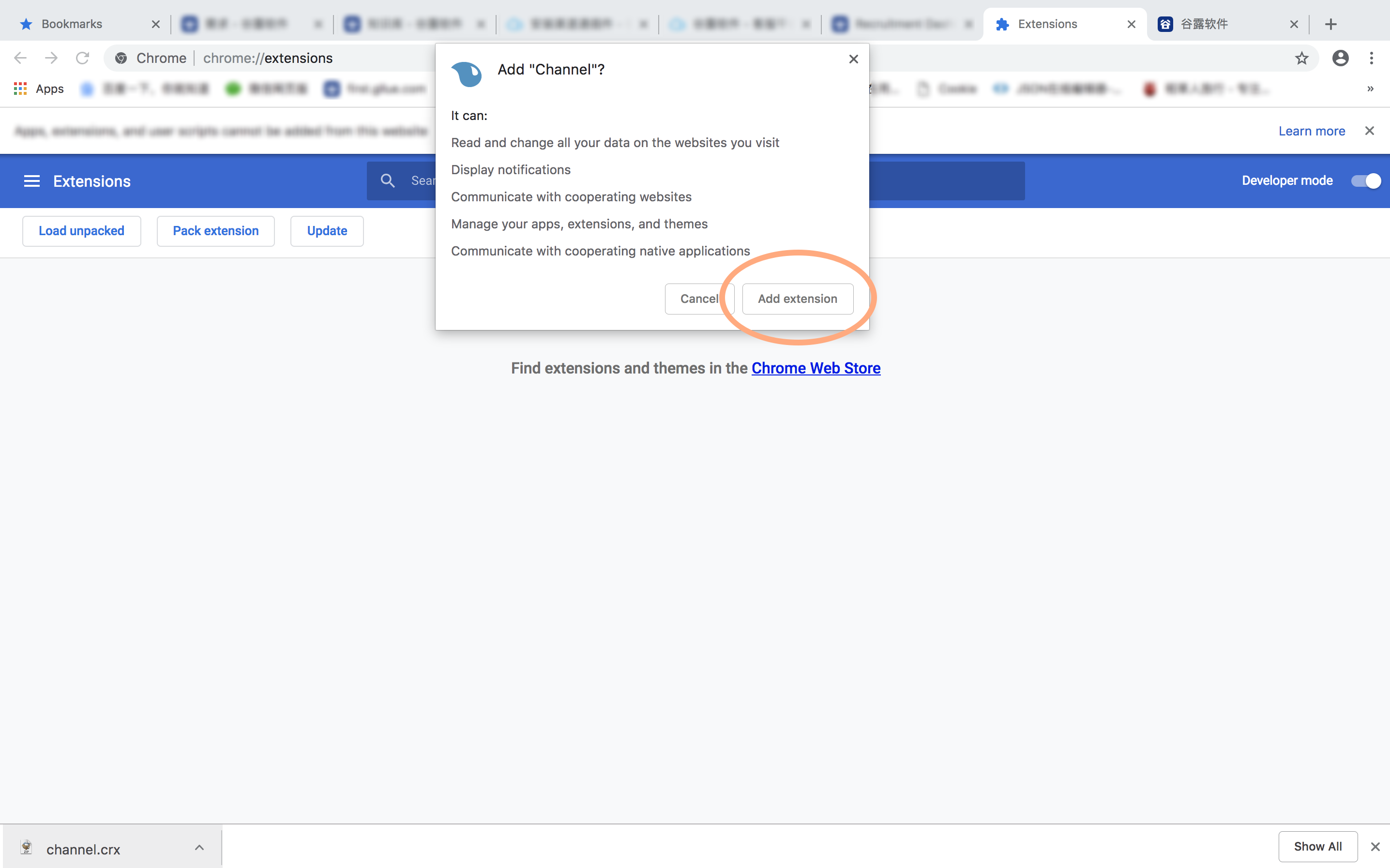
4、Please wait for a while after step 3 until you see a prompt window on the page as below. Then click the button ‘add extension’.
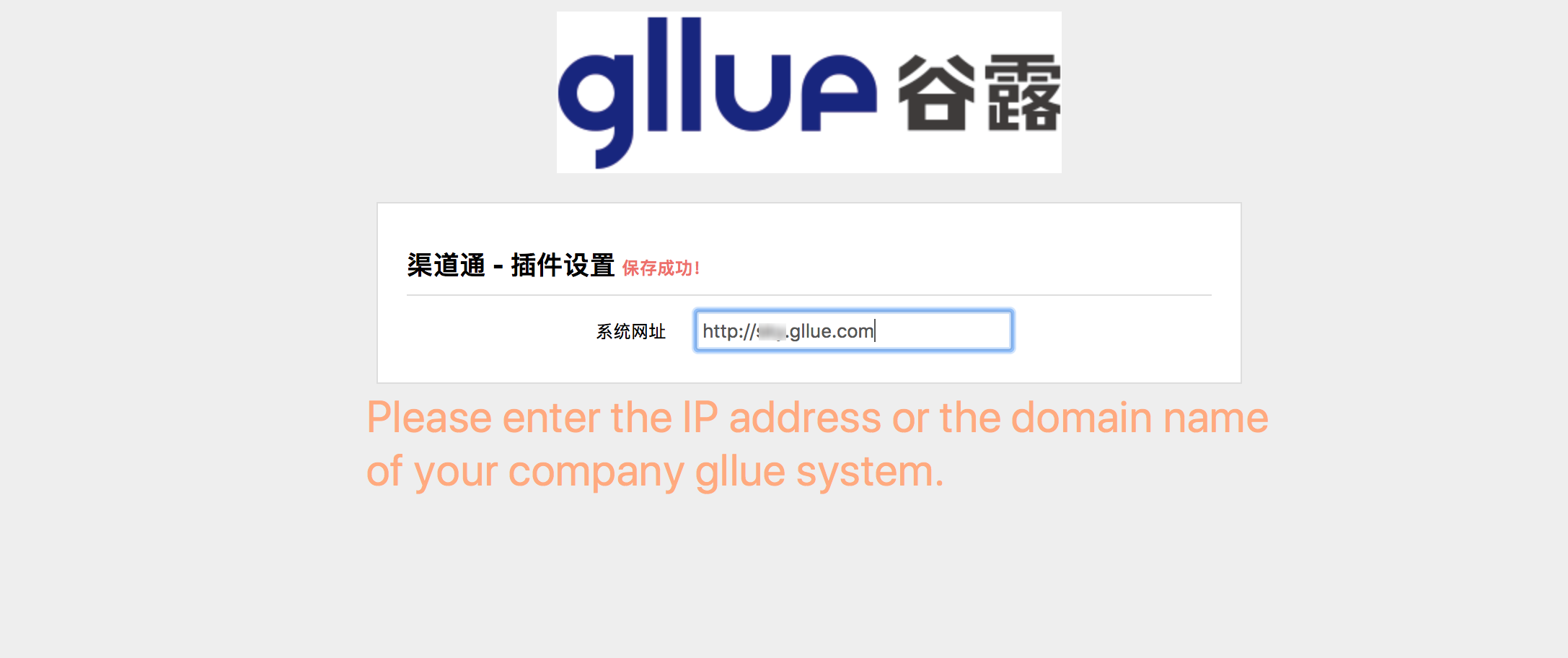
5、Please enter the IP address or the domain name of your company gllue system when the setting page prompts out. A message of ‘success installation’ will prompt out.
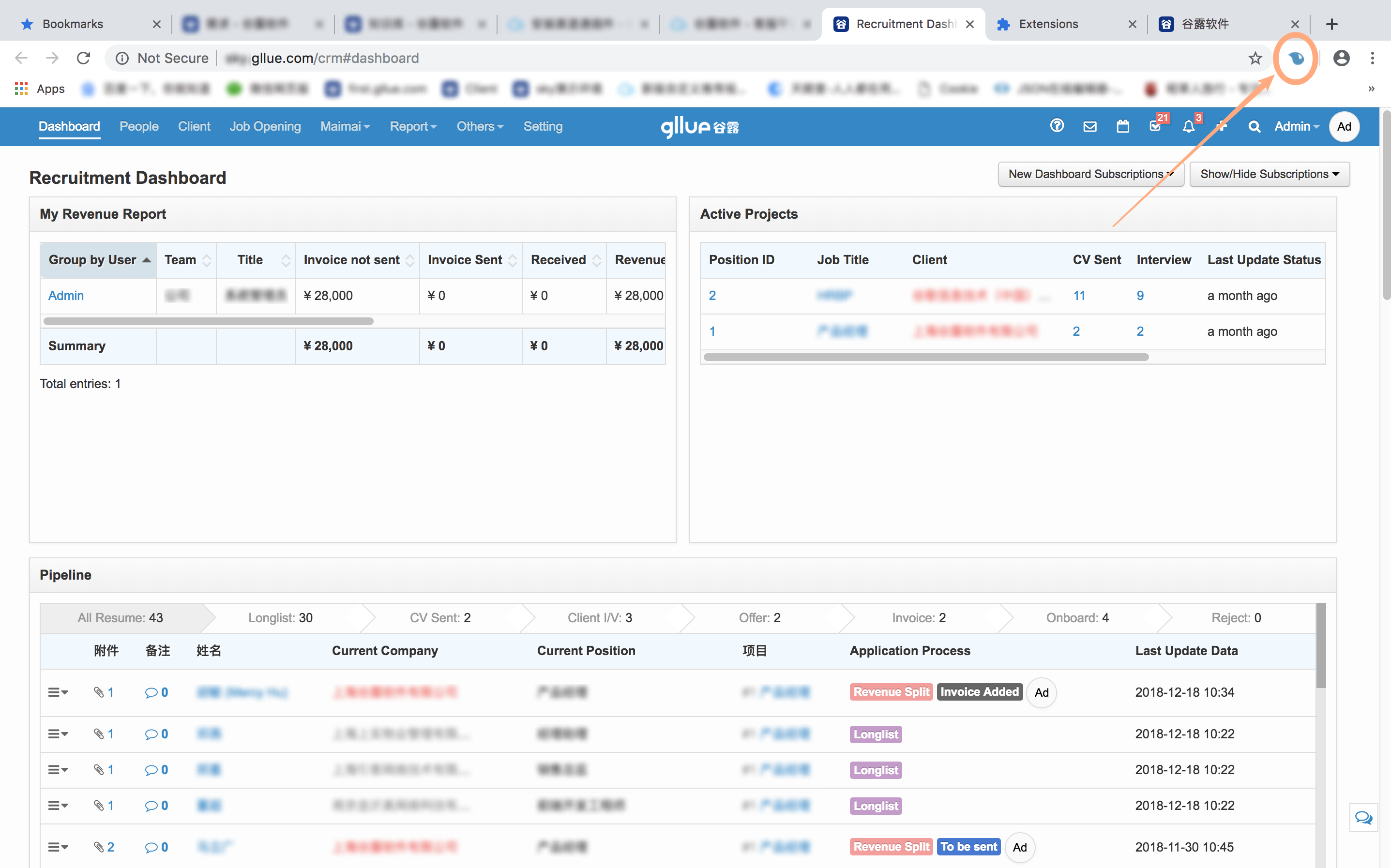
6、The icon of the extension (i.e. the shape is like a blue water drop) will appear on the top right corner of the browser. Please initiate the function by refreshing the page or restarting the browser.
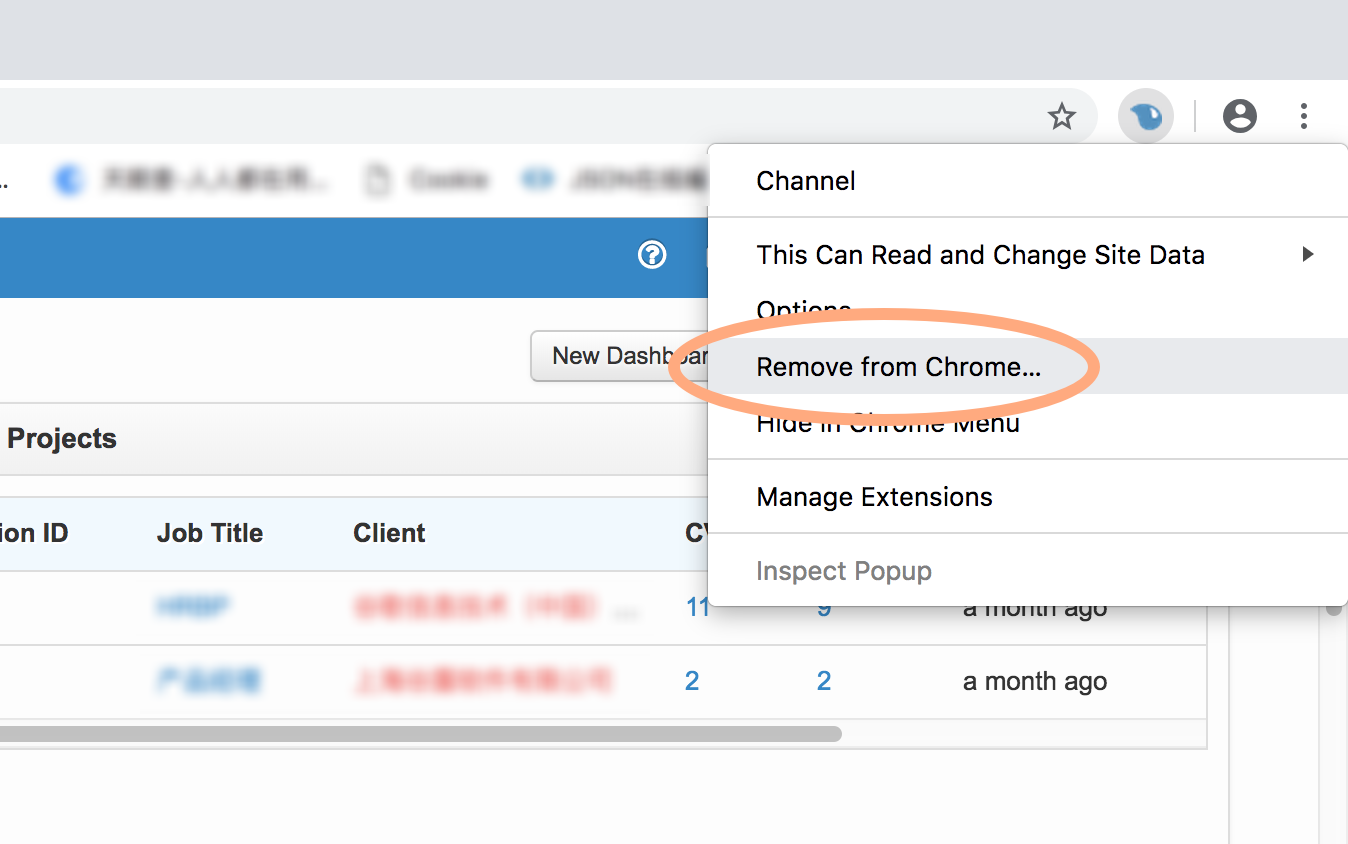
Note: In some special circumstances, we need to remove and re-install the extension. Please right click the icon and choose ‘remove from chrome’ from the drop-down bar.